



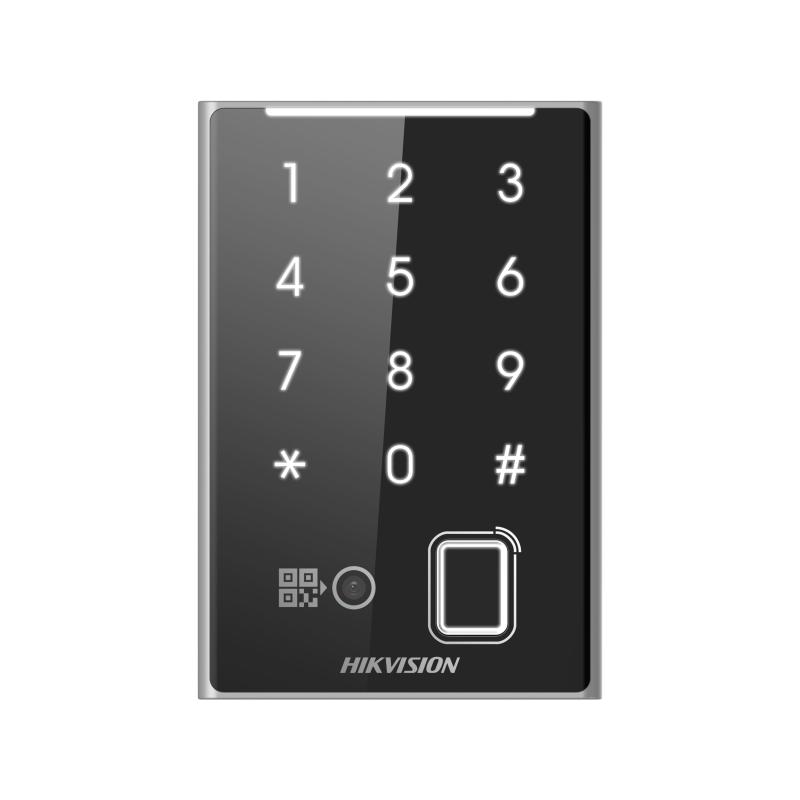
HIKVISION DS-K1109DKFB-QR Supports DeSfire, Felica and M1 card Supports password, fingerprint, QR code and bluetooth.
DS-K1109DKFB-QR
Card Reader
Supports RS-485 and Wiegand (W26, W34) protocol
Supports reading DESfire card, Felica card and M1 card
Supports authentication via card, password, fingerprint and QR code
Supports bluetooth module (when connecting by RS-485)
Tamper-proof function
Max. 5000 fingerprint capacity

Hikvision DS‑K1109DKFB‑QR – Lecteur d’accès multifonction avec empreinte, carte, QR et clavier
The Hikvision DS‑K1109DKFB‑QR is a professional access control reader designed for versatile authentication in modern security systems. It combines biometric fingerprint recognition, RFID card reading (M1/DESfire/Felica), QR code scanning, and PIN input in a single robust unit, making it suitable for commercial, industrial, and residential access control installations.
Built with RS‑485 and Wiegand (W26/W34) interfaces, this reader easily integrates with standard access control panels and controllers. Its IP65‑rated housing ensures reliable operation in both indoor and outdoor environments, while tamper detection, LED indicators, and buzzer feedback improve usability and security.
Key Features:
• Multi‑authentication support: fingerprint, RFID card (M1, DESfire, Felica), QR code, and PIN entry
• Integrated biometric fingerprint reader (up to 5 000 fingerprints)
• RFID card reading (13.56 MHz) for M1, DESfire and Felica card formats
• QR code recognition (requires RS‑485 connection)
• RS‑485 and Wiegand (W26/W34) output protocols for system compatibility
• Tamper‑proof switch, buzzer and LED status indicators
• IP65 weather‑rated housing for reliable outdoor installation
• Wide operating temperature range: ‑40 °C to +65 °C
• Compact wall‑mount design with protective casing
| Identification Technology | DESfire , Felica M1 card - Pin Code - QR Code - bluetooth |
| Interface | RS-485 + Wiegand |
Once the user has seen at least one product this snippet will be visible.
Recently viewed Products
To install this Web App in your iPhone/iPad press

and then Add to Home Screen.